Schema Viewer
Schema Viewer
A visual map of every table, column, key and relationship in your database.
What you see
The Schema Viewer is your structural map of the database. For every table you can see columns with their types, primary keys, indexes, and the foreign-key relationships that connect tables to each other.
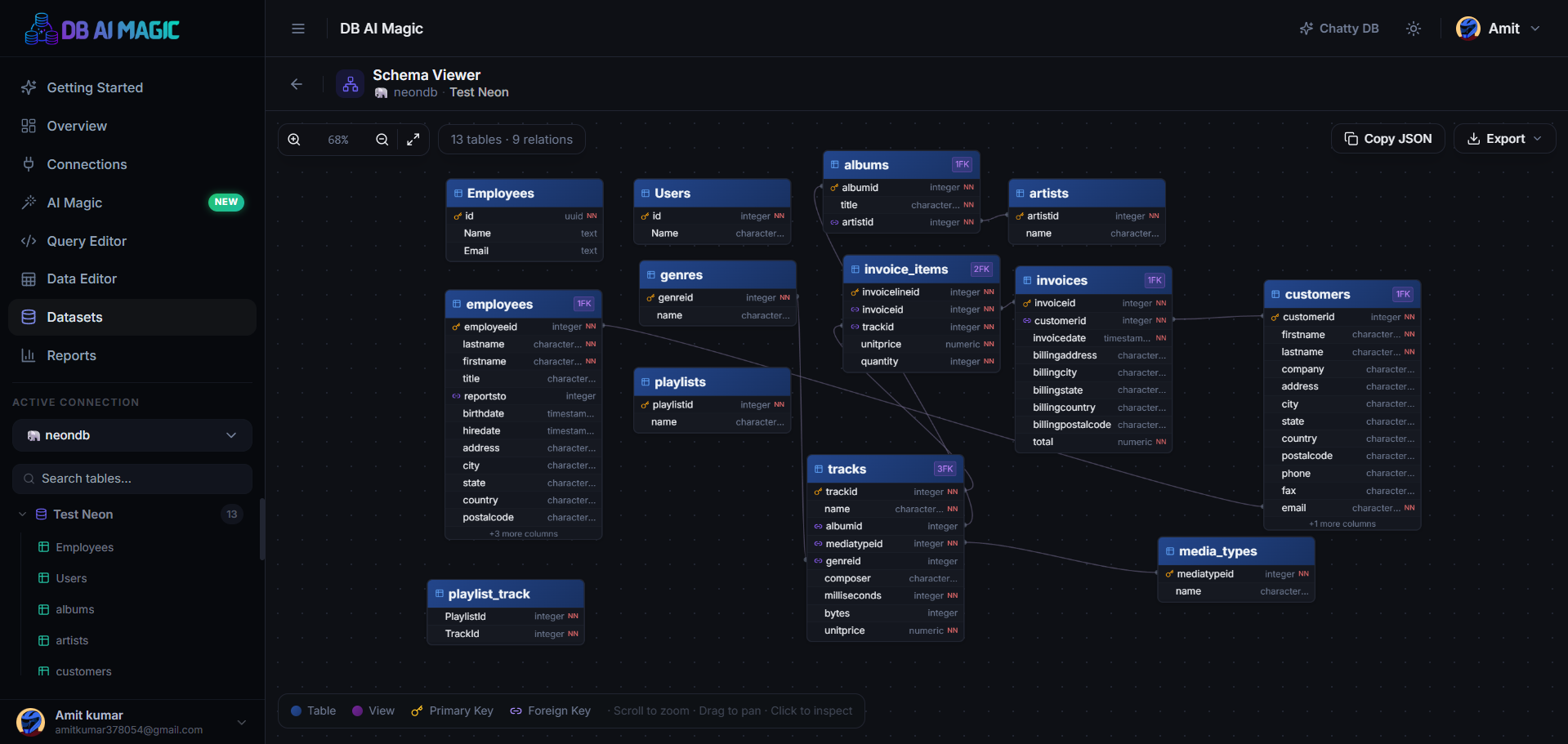
How to Use the Schema Viewer
Pick a connection
Pick Connection in the sidebar.Right Click into Database
Choose the database and right-click to open the context menu.Open Schema Viewer
Click Schema Viewer, to open Schema Viewer.



Tree view
The left-hand tree mirrors the structure of your database: databases → schemas → tables → columns. Each column shows its type and is badged when it's a primary key, nullable, or indexed.
- Click a table to expand its columns
- Click a column to see full details (type, default, comment)
- Right-click for context actions (open in editor, copy name)
Diagram view
The diagram view draws every table as a card and every foreign-key relationship as a labelled arrow. You can:
- Pan and zoom around the canvas
- Drag tables to rearrange the layout
- Auto-arrange with the layout button
- Fit-to-screen to see the whole schema at a glance
Working with large schemas
Search and jump
Use the search bar above the diagram to find any table or column. Selecting a result centres the canvas on the table and highlights the column. Great for “wait, what does orders.shipping_statusactually look like?”-style questions.
Where to go next
Want to share the diagram outside DB AI Magic? Head to Exporting Diagrams for every output format we support.